> ## Documentation Index
> Fetch the complete documentation index at: https://docs.semgrep.dev/llms.txt
> Use this file to discover all available pages before exploring further.
# Why are there more Semgrep findings when the code hasn't changed?
> If the rules you're using in Semgrep have changed since you last performed a full scan of your project, you may see more findings for the project even if your code has not changed.
For rulesets in the Semgrep Registry, if you add a ruleset to one of your policies, the policy receives updates and additions to the ruleset on an ongoing basis. When a rule is added to a ruleset, or when changes make a rule more comprehensive or more precise, your policy automatically picks up those changes. As a result, the next full scan of the project may surface new findings from the new or updated rules.
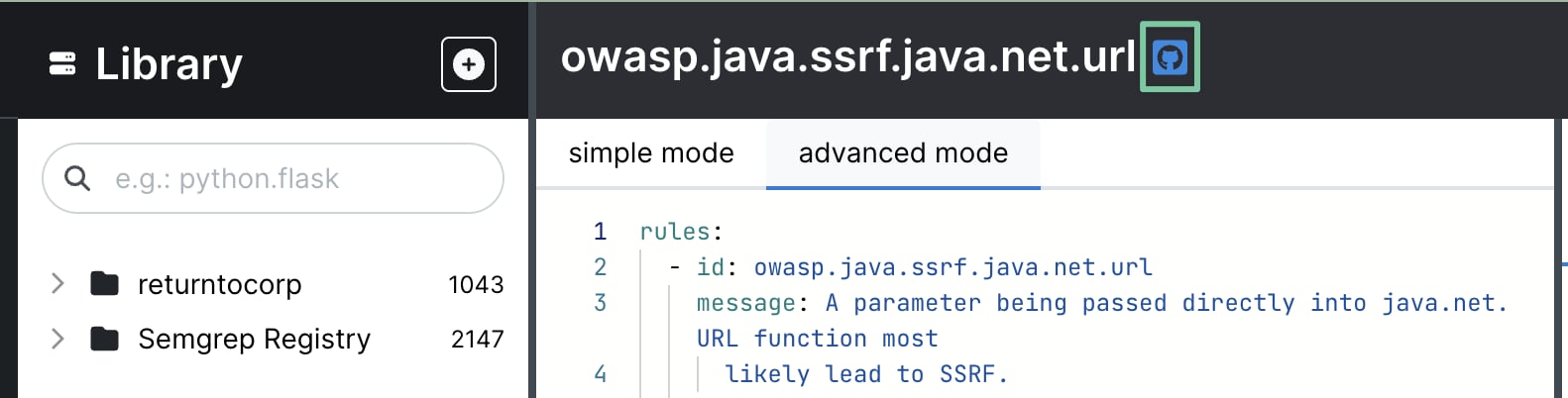
For Semgrep-curated rulesets, you can view each rule's history to see recent changes:
Open the rule in the Editor.
Click the GitHub icon shown next to the rule ID to access the commit history.
 There are some Registry rulsets that have an alternative curator - these do not show "by Semgrep". For these rules:
Expand the rule within the registry by clicking on the rule card to view its details.
Click "Source for rule" under the example code to visit the rule source.
If you have questions or concerns about rule updates for Semgrep Registry rulesets, please feel free to [reach out](/support).
There are some Registry rulsets that have an alternative curator - these do not show "by Semgrep". For these rules:
Expand the rule within the registry by clicking on the rule card to view its details.
Click "Source for rule" under the example code to visit the rule source.
If you have questions or concerns about rule updates for Semgrep Registry rulesets, please feel free to [reach out](/support).