> ## Documentation Index
> Fetch the complete documentation index at: https://docs.semgrep.dev/llms.txt
> Use this file to discover all available pages before exploring further.
# SAML SSO Error: Authentication method doesn't match requested
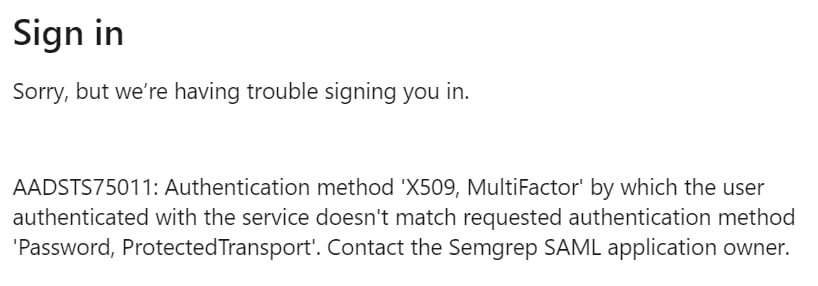
When logging in to Semgrep using SAML single-sign on (SSO), you may see the error `Authentication method doesn't match requested`:
 This error only occurs when starting sign-in from Semgrep. To prevent the error, start your sign-in from your IdP (SSO provider).
To fix this problem, you must be an `admin` in Semgrep AppSec Platform.
Sign in to [Semgrep AppSec Platform](https://semgrep.dev/login).
Click ** Settings > Access > [SSO](https://semgrep.dev/orgs/-/settings/access/sso)**.
Check the box labeled **Check if your SSO supports non-password authentication mechanisms (e.g. MFA, X509, PasswordLessPhoneSignin)**.
Click **Save** to save this setting.
This error only occurs when starting sign-in from Semgrep. To prevent the error, start your sign-in from your IdP (SSO provider).
To fix this problem, you must be an `admin` in Semgrep AppSec Platform.
Sign in to [Semgrep AppSec Platform](https://semgrep.dev/login).
Click ** Settings > Access > [SSO](https://semgrep.dev/orgs/-/settings/access/sso)**.
Check the box labeled **Check if your SSO supports non-password authentication mechanisms (e.g. MFA, X509, PasswordLessPhoneSignin)**.
Click **Save** to save this setting.